Maxio May 2026 Product Updates



May 2026 Product Updates
Scaling recurring revenue becomes more complex as pricing models evolve. Usage-based billing, hybrid monetization, and growing transaction volume can create additional manual work, fragmented reporting, and reconciliation delays for finance and revenue teams.
This month’s Maxio product updates focus on helping teams scale monetization with less operational drag. The updates below include enhancements across metering, reporting, billing accuracy, payments, and integrations to support better visibility and more efficient workflows across the billing lifecycle.
In this month’s update
- Improved billing accuracy with more precise proration, flexible tax handling, and streamlined payments
- Support for usage-based and hybrid pricing models with less billing complexity
- Improved revenue visibility with ARPU and cohort performance insights
- Reduced finance operations work across reconciliation, accounting syncs, and document intake
Tokenization and Monetization
Maxio Metering (Beta)
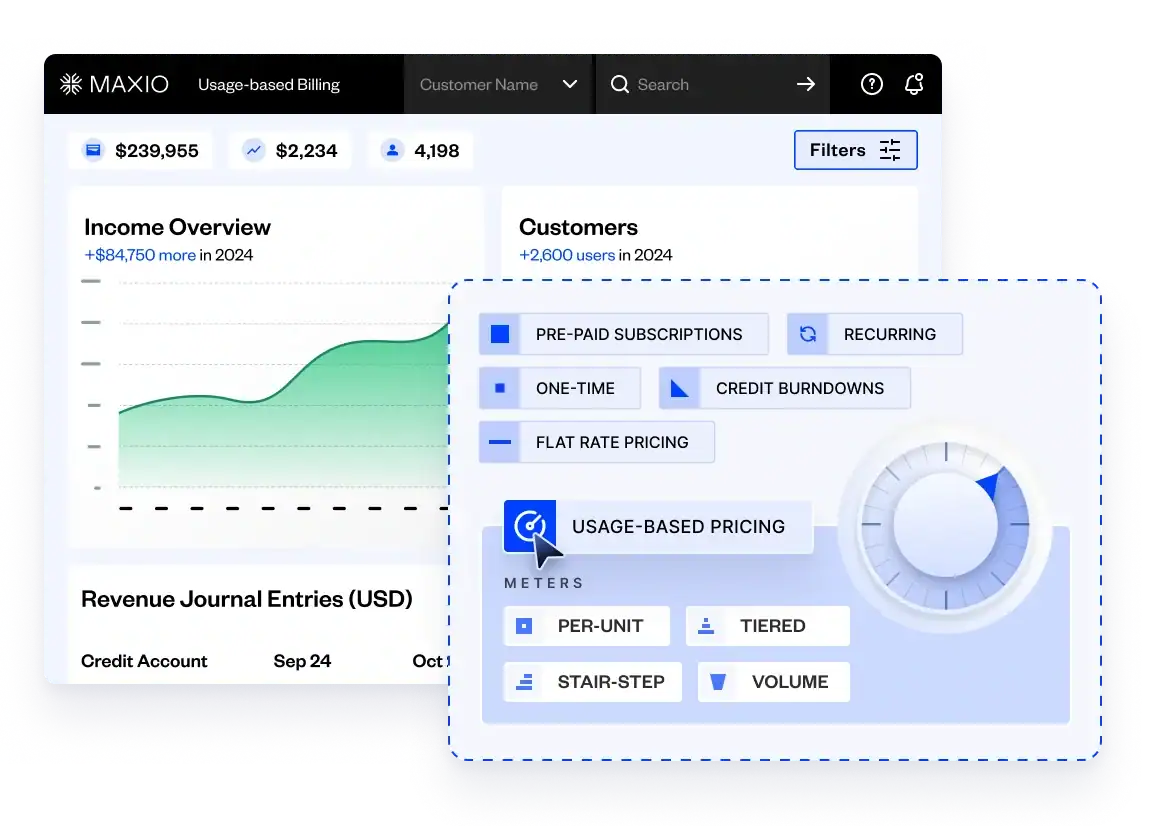
Maxio Metering has been re-architected for SaaS and AI businesses managing high-volume, variable usage that flat or seat-based pricing models may not capture as effectively.
With this beta release, teams can define event schemas upfront, stream usage data in real time, and connect usage events to flexible pricing configurations and invoice generation. This gives finance, product, and revenue teams better visibility into how usage becomes billable revenue. This is in beta and available by request.
Insights and Analytics
ARPU Visibility in Subscription Momentum Report
The Subscription Momentum Report now calculates ARPU and tracks ARPU performance period over period directly within Maxio, across customer cohorts.
This update gives SaaS finance teams a clearer view into whether pricing, expansion, and product mix are affecting performance, without requiring exports to spreadsheets. This enhancement is currently available through beta access.
Subscription and Billing
More Precise Proration
Proration for periodic transactions now uses fractional-month logic, so partial billing periods are charged based on the exact portion consumed rather than being rounded up or down.
This update is intended to improve billing accuracy and reduce the need for credit-and-rebill cleanup.
Maxio Payments
On-Demand Payout Reconciliation Reporting
Reconciling Maxio Payments payouts no longer requires teams to stitch together multiple exports.
Users can now pull a single on-demand report covering deposits, fees, chargebacks, and refunds, providing a more complete view of settlements and making it easier to tie activity back to bank deposits.
Simpler Apple Pay Setup
Apple Pay setup no longer requires a developer.
The Maxio Payments Global dashboard now pre-fills Service Selection Provider (SSP) and Payment Service Provider (PSP) URLs from existing configuration. Teams can verify the information, save it, and enable Apple Pay on forms with less manual setup.
This update is designed to simplify configuration and reduce dependence on engineering support for implementation.
Updated Navigation Across Maxio Payments
Maxio Payments now uses the same left-hand navigation structure as Maxio Core and Advanced Billing, with menu items aligned across products.
This update creates a more consistent experience across Maxio products and may help reduce context switching for teams working across multiple parts of the platform.
Third-Party Integrations
Maxio Tax Framework Update
Maxio now supports a more flexible approach to tax handling within a single system.
Teams can connect Avalara or Anrok, or define jurisdiction-specific tax rates directly within Maxio. In either case, tax data is stored consistently, easier to report on, and available for export to accountants or filing services.
Keep Intacct and QuickBooks Syncs Moving When One Record Fails
A single failed record no longer needs to halt an Intacct or QuickBooks sync.
With continue-on-error support, teams can skip individual failures, complete the rest of the batch, and surface errors for follow-up afterward.
To enable this setting, navigate to Settings, select Integrations, and click QuickBooks Online or Intacct. The Continue on Error toggle is located at the bottom of the Settings section.
Summary
The May 2026 product updates focus on helping teams manage usage-based and hybrid monetization with greater visibility, more accurate billing, and less manual operational work.
Taken together, these updates support more efficient workflows across metering, reporting, payments, tax handling, and accounting syncs.