
On-Demand Webinar
AI in Finance: Spot Anomalies Before They Happen
Finance teams are already putting AI to work in their day-to-day processes.
We’ve seen teams use AI to identify AR exceptions, flag AP anomalies and T&E violations, reconcile cash, and streamline the billing-to-revenue recognition process.
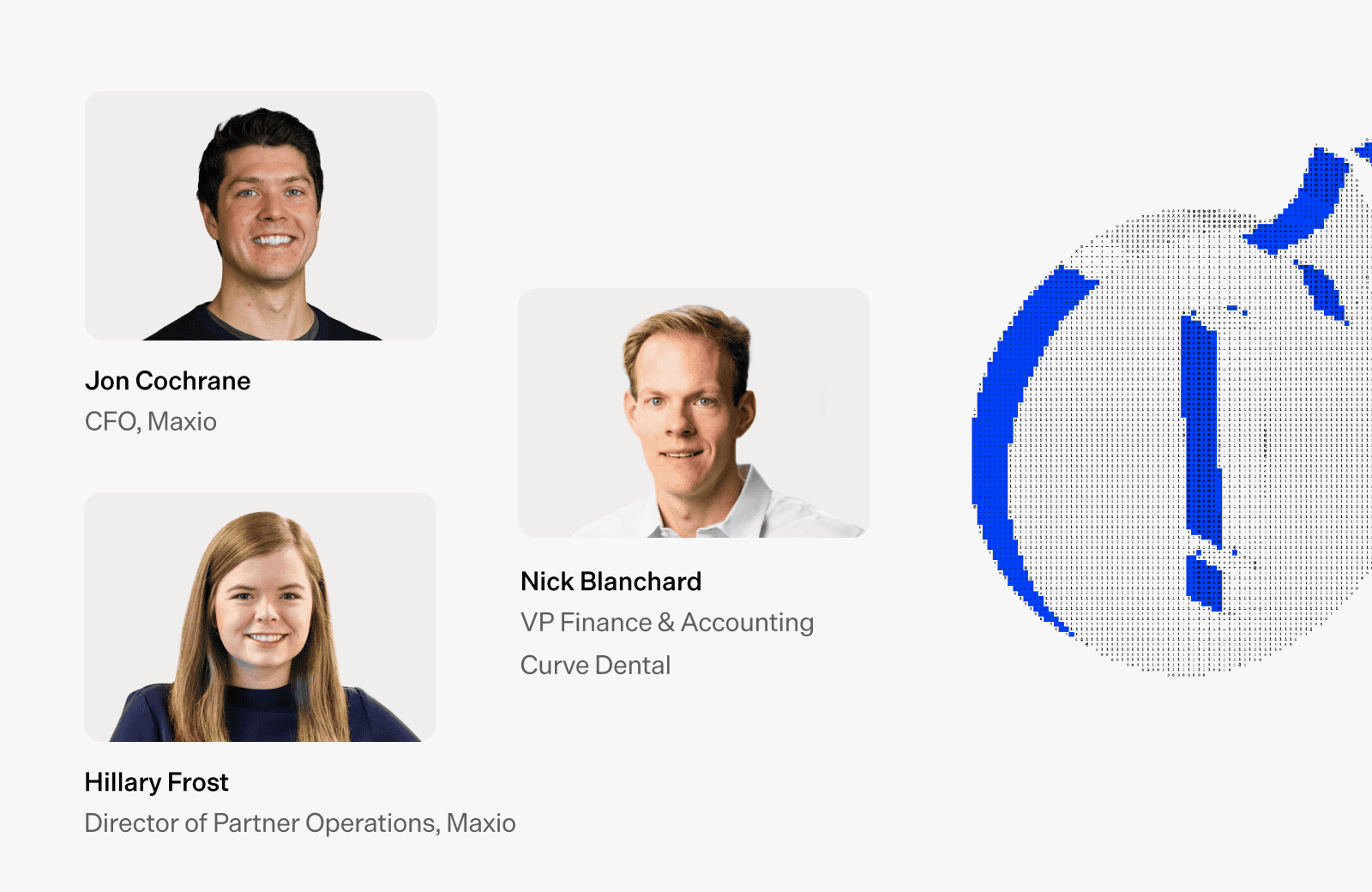
We’re excited to welcome Maxio customer, Nick Blanchard, VP Finance & Accounting at Curve Dental, along with Maxio’s Director of Partner Operations, Hillary Frost, to lead you through this episode of the series where you’ll learn practical steps for incorporating AI into your workflows and walk away with skills and reports that can help you save time in your day-to-day work.
During this session, you’ll learn:

How to turn AI hackathons and small cash incentives ($1,500 prizes) into real adoption across finance, HR, and legal teams — not just top-down mandates
How to use Claude in Excel to catch miscoded transactions automatically, before they ever hit your GL
How to build a trust ladder for AI in your books. Starting read-only, then earning the ability to propose journal entries with human approval still in the loop
How to use AI as a first-pass reviewer on audits, contracts, and NDAs to flag errors and save real legal spend
Transcript
Jon Cochrane: [00:00:00] All right. I think we’re live now. Hey everyone, thank you for joining us, joining us for our second installment. What we’re really trying to do here is just to peel back the onion, do some inside baseball, actually show some real life examples as to how are practically people leaning into AI, how does this whole thing work?
So we have no slides today, but we do have two special guests, so I wanna introduce them before I introduce myself when we get into the show flow here. So we’ve got Nick from Curve Dental, longtime friend, friend of the fam here, and then Hillary from Maxio. So Nick, why don’t you go ahead and introduce yourself and then Hill, we’ll introduce you.
Nick Blanchard: Sure. Thanks, Jon. So, Nick Blanchard. I’m VP of Finance for Curve Dental. I’ve been with the company for about four years. Three-time Maxio customer. We have a… [00:01:00] very closely together, and you know, I have a good relationship, and I’ve benefited as a result.
Jon Cochrane: Awesome. Well, Nick, we’re two-time Maxio customer. Also gives us feedback all the time, great feedback. And when Nick talks, we listen. So, very… I always love feedback from customers. It’s a gift. So Hillary, how about you give everybody an introduction yourself?
Hillary Frost: Yes. Yeah, Hillary Frost. Have been at Maxio for about seven and a half years, which is crazy. Worn a lot of different hats. I was in accounting and finance prior to joining, so it’s been fun being able to make the product for what I wish I had when I was still in it. So have been across implementations, product, strategy, and partner operations as well.
Jon Cochrane: Awesome. And I’m Jon. I’m our CFO here at Maxio. I’ve worn a lot of different hats at [00:02:00] the company as well. So, been here about six and a half years, now helping to take how we do what we do with our finances, and to bring that into, call it the AI era that we’re in right now, but to do it in a practical way, not a buzzwordy way.
So, last week, for those of you who joined us, or if you missed last week, one of the questions that we got a lot, well, one of the areas that we got a lot of questions on is, how do I know that when I’m plugging these tools into my tech stack or trying to use them in my day-to-day operations, how do I make sure that it keeps everything secret?
And then how do I make sure, secret and safe, but then how do I also trust it? So we walked through that. If you didn’t get a chance to check out that webinar, we actually brought in Chris, who heads up our product team. And he and I walked through some safeguards that you can put in place.
Today it’s, I’m more excited about today ’cause we actually get to talk about what are some practical ways that we’re deploying this. I’ll share some stuff that we’re doing. Nick’s gonna [00:03:00] share some stuff. Hillary’s gonna share some stuff. But like I said, we have no slides today.
We’re just gonna try and peel back the onion to the extent that we can. One of the challenges when peeling back the onion is a lot of the stuff that we deal with in finance is sensitive.
Nick Blanchard: Mm-hmm.
Jon Cochrane: So as we were prepping with Nick, we were like, “Oh, that’s so…” He was walking us through some of the stuff that he’s doing right now and his team’s doing, and we were like, “That is so cool, but we can’t show you the live stuff because it has, like, customer names and stuff like that.”
So we have some creative ways that we’re gonna walk people through this today, and then we have some live demos that we’re gonna walk through here shortly. But I think one thing, Nick, that I’d love to start today is, I know just in finance in general, there’s just a lot of pressure to prove that you’re leveraging AI, in whatever way it is.
‘Cause your board, your executives, they’re gonna come to you and be like, “Nick, how are you using AI?” And I know I felt this personally, [00:04:00] over the last year where you’re like, “You better have a good answer to that.” Because if you don’t have a good answer, they’re gonna be like, “You’re not leaning in, you’re not taking this seriously.”
But then in finance, there’s also like, how do you check the box versus actually have something that you can use. So I’m curious, if you could walk us just a little bit through your own journey and how you maybe started from just being like, “I have an answer to that,” to actually having some tangible things that are making a difference in your day-to-day life now.
Nick Blanchard: Yeah. So we definitely experienced that. Jason Lemkin from SaaStr, he called it the AI Snowball. Where we had all these excuses. Some of them were legitimate, but now the AI tools have gotten so much better. But AI tools hallucinate or they’re not quite there yet or they haven’t made their way to finance.
Everyone experienced that. But eventually, through the [00:05:00] leadership of our CFO, Scott Gordon, he really absorbed all of the information related to AI that he could. He bought all the tools and then reasoned and experimented himself and he really, I would say nerded out, and figured out all these things, tested them, and then he brought them to us.
And we already had a few data flows, and so we use an outsource firm called Analytics in India, and so our headcount’s not that high. So we were kind of like… And the software is very good. We implemented Maxio Payments a few years ago and it has a very good NetSuite integration. And before that, we were importing things through Excel, payroll. We use Ramp, we use Rippling. All of the software tools are pretty good now.
The integrations are pretty good. And so we didn’t expect to save all this time. So [00:06:00] we looked at it as more of, “Hey, it’s kind of where the future’s going. How can we embrace this and not necessarily reduce headcount,” because we already had a lean team, “But can we gain time?
Can we improve error checking and things like that? Just to try to make things better and more accurate.”
Jon Cochrane: That’s super interesting. Now you said Scott was kind of the catalyst to a lot of the change inside the company, and so, Scott being your CFO, I’m curious, did he carrot, like mandate it with Nick, or did he take more of a stick approach?
Like, sounds like you all should find you some good ways to automate things. I’m kind of curious, how did you go about, or how did Scott go about getting the buy-in with you? And then how did you see that also with the rest of the team?
Nick Blanchard: Yeah. So for a while there we were all trying to figure it out like everyone [00:07:00] else.
And I think Scott got the idea of, “Hey, let’s do this AI hackathon and let’s throw some money behind it,” $1,500 for the winner. And so-
Jon Cochrane: Now, was that hackathon, was that like with developers, or was it like… Who was that, or was it with your team? Like who all was in this hackathon going after the $1,500 prize?
Nick Blanchard: Yeah. It was the finance and accounting team, and really the admin functions, so HR, sales ops, everyone that reports to Scott Legal.
Jon Cochrane: I don’t think I’ve ever heard of a hackathon in finance, HR, and accounting before, so I don’t… I don’t know if anybody here has had that before, but y’all are the first I’ve heard of having a hackathon.
Nick Blanchard: Yeah. Yeah. And it would seem to help. And I think we all bought some tools, we had been using ChatGPT for tax research and things like that, but very, very, [00:08:00] elementary level use of AI. So we bought Claude, and then also at the same time, the MCP connectors started to really take off and get better and namely the MCP from Maxio.
So we got connected with that very early on with Chris Weber, and we started using it, and we kind of went back and forth to use it. And so actually one of the winners of the hackathon-
Jon Cochrane: Yeah, I was gonna ask you, like, who walked home with the fifteen hundred bucks? That’s like a nice prize there.
Nick Blanchard: Yeah.
Yeah. So our accounting manager who handles all of the customer relations and billing, she’s in Maxio all day long. She actually wanted… Another person did because we decided that the other person’s work was also good. So anyway, Lauren used the Maxio MCP, and she would go back and forth with [00:09:00] Chris and say, “Hey, there’s this one other thing that we might wanna be able to do.”
And so Chris is like, “Hey, I created that skill, and now it’s possible.” So the use case was creating new customers in Maxio using the MCP. So, for various reasons, ours, internally, we’re not completely integrated with Salesforce right now. We just have different process things that we wanna be able to do.
And so we just basically drop in the contract to Claude and create a new skill, and it starts to enter in Maxio, and it gives us a few prompts. “Hey, fill out this information or that information,” and then it’s done. And so, it saved a lot of manual entry, error prevention for us. So, we’re very happy with that.
Jon Cochrane: That is awesome.
And that’s like, [00:10:00] I… You can have the best integrated systems and somewhere, somebody along the way is gonna find a way to build some workaround or there’s gonna be some unique process, and I’ve loved seeing how you all have been able to use MCP to handle those use cases.
Hillary, I want to come over to you too, because you’ve also been on the tip of the spear of leading into some of these AI tools. Curious if you can also walk us through, shifting from making sure that when you got asked how are you leveraging Claude, Codex, whatever it is, to actually being in the game and using these things-
Hillary Frost: Mm-hmm.
Jon Cochrane: on a day-to-day basis. Like, what was your journey? How did you actually get started and what are you doing today?
Hillary Frost: Yeah. I feel like I started as a basic user, like we all did, and I think dipped my toes in more with everything we’ve done with Codex and things like that, getting a lot of product questions quickly.
And so I feel like [00:11:00] that built my confidence. But where it really clicked for me was with partners and partner enablement, ’cause, like Nick, we also had a lean team, and part of my role was how do we enable partners so that they can scope Maxio, implement Maxio on their own, do all of these things which is complete teams here at Maxio.
So how can we do that quickly with multiple partners, where it’s not just always me on the phone with someone? So it was how can I accelerate that enablement journey of getting call transcripts and making enablement content out of that. And especially I can easily make tailored content to each partner based off of that, and I think you’re gonna show this.
Like, we can pull in our branding. It’s super easy to be like, “Hey, we had this call about how you scope a Maxio deal. Here’s the basic questions you ask. Here’s your partner pricing. Here’s all of the different things that, like…” Eliminate so much back and forth, ’cause then they have all of this content and, like, [00:12:00] the trainee can become the trainer so much quicker within our partners.
So I saw how that quickly just was a snowball effect of being able to be self-sufficient in myself in creating all of that versus we need the enablement team, we need marketing team, and just slowing us down from being able to make that happen a lot quicker than it would have otherwise.
Jon Cochrane: No, yeah, that’s, uh…
So Hill just gave a sneak peek as we were preparing for this. One of the things that we actually just ran this, as a test an hour ago, is we’re gonna show you all, not only, Nick has some really cool examples here that he wants to walk through on how he’s using this to identify anomalies and automate processes.
We’re also gonna show you some real examples of, to Hill’s point, how we’re actually leveraging these and, I think all of us on this webinar, we have to net out a lot of information, and to do it in a clean manner. We’re gonna show you how we actually do that here at Maxio, which is really, really fun.
Nick, I wanna jump back to you because this is the [00:13:00] part where I’d love to shift into some of practically what we’re doing. And also to the people online right now, I would encourage, if you have questions either for myself, for Nick, for Hillary, drop them in the chat. We answered a lot of questions last week and that was really fun.
So if you have questions, we will answer those as we go. So I’d encourage you to drop them in there as you think of them. But Nick, back to you. From your customer import to a few other things that you’re doing, what are some of the real practical ways that you all are using some of these tools today?
You said you already had a lean team, that you already had a lot of processes. Like at the beginning of this thing you’re like, “Hey, we just wanna be part of this future movement.” Like what are some of the practical things that you all have been doing? And maybe where, what’s getting you most excited right now?
And if you have anything that you wanna walk us through, [00:14:00] would love to see some of the examples that you have here.
Nick Blanchard: Yeah. So like I mentioned, started out with basic research using ChatGPT and then, where I would say it started to get real for me was actually analyzing documents and, for the 2025 audit, I basically took that and took the audit report draft comparing it to last year and I said, “Find any errors, tie out, TB between the audit, any AJDBs and tie it to the audit report.”
And then I said, “Read through all the footnotes and plot,” did all these things. We went back and forth. It was a long process. I think now I would know more, I’m more skilled at prompts that I give it and the information that I feed it. But it spit out a twenty bullet point list of comments to send to the auditors.
[00:15:00] “Hey, this number isn’t right. That’s in the footnotes.” And there were only about two of them that were like, oh, maybe that’s not right or that’s not accurate. And I said, “Maybe put it in a Word document and I will just literally send that to the auditors.” And I did. And I didn’t even tell them that I did that.
And they came back, they answered everything. We fixed everything and it worked out really well. So that’s an example. I’m actually surprised that the auditors didn’t do it that way. Maybe they will going forward, but it really helped us out.
Jon Cochrane: That’s… It’s funny that you mention that, Nick. I actually had a use case come through yesterday myself where it’s similar in nature. It’s document review and sales team had, we were… We have a customer, well, prospect that we’re talking with and part of the process is you get an NDA signed.
And sales rep sent over the prospect’s NDA, and they said, “Hey, can you sign this?” And I’m like, “Hey, no [00:16:00] problem.” In the past, if it was somebody else’s NDA, kind of a gut reaction for me would be like, “Hey, let me file it off to our legal counsel. They’ll get me back comments, and I’ll send it off to the customer.”
But I just went… I took a– I’ve looked at lots of NDAs over the years, so it’s not something that’s unfamiliar to me. But this time what I did is I just went, “Wait a second. I’ll just take my NDA template, I’ll drop it into Claude. I’ll take their NDA, drop it into Claude, and I’ll just have it do a quick review.”
‘Cause based on what I could see, didn’t seem like there was an issue. I was blown away with, I think I saved us five hundred bucks, because legal counsel is really expensive. But also, it was basically able to say like, “Hey, their terms are actually more gracious to you than your own NDA.
The only thing that you should add in there is make sure that you just cap the term limits on whatever is considered a trade secret.” And I’m like- And so I dropped those red lines and do it. I was like, “No problem. We can sign this. Here’s the red line.” And we got it signed an hour or two later.
It’s just unbelievable, like how quickly some of [00:17:00] the efficiencies that you can find there.
Nick Blanchard: Yeah. Yeah.
Jon Cochrane: Oh, yeah, go ahead.
Nick Blanchard: Yeah, I agree. I mean, I describe it to people that, maybe ask questions or haven’t used it as, it’s like having a smart friend who’s an expert in everything.
They’ve read every book, they’ve read every software manual, and you can just have a conversation. Just go back and forth with it and you’ll get the-
Jon Cochrane: Now, Hillary, jumping over to you, I’m kind of curious, do you have… You mentioned you’re doing a lot with partner enablement.
And I’m curious if you have any practical things that you’re doing or that you’re able to kind of peel the onion back on and show us examples of how you’re leveraging these tools, kind of in how you’re doing what you’re doing today.
Hillary Frost: Yeah. Well, besides just creating partner enablement content, a lot of that, throughout my time, even in product, et cetera, is people always want good demo accounts, and that has always been so hard.
[00:18:00] There’s probably at least 25 Frost & Cos out there. But you want to be able to have some real demo data, especially teaching people our reporting. It goes so much farther when you have real-life fluctuations and things like that. So a practical example I have, and I can show you guys, is I created a GPT for a demo account that we have.
I have it connected to a real QuickBooks account, a real Salesforce account, and every month I’m going in saying, “Generate my data for me.” And here, let me share my screen.
Jon Cochrane: And one cool thing about this too is, Hill, you’re going to show us demo data that you’re creating, but the process that you’re using to create demo data is no different than, Nick, what you were talking about, such as, like, hey, say I have these one-off con…
You know, 90% of my business runs this way, but I need to import, somewhat I need to create some transactions, some customers that kind of came in on the side or maybe somebody sent me a PDF and it’s not in the [00:19:00] system, something like that, and I just want to create them in Maxio. This is the same process.
Hillary Frost: Exactly. And so it was super easy to set up this process. And so I have a custom GPT I made, and it knows my item list in my test account in Maxio, how we do our templates for importing. If I wanted to get even fancier, I’m sure I could automate the importing of that. But I have it set so each month, I did this literally yesterday, saying, “Make July data for me,” now that we’re into August.
It knows to ask for my customer list, transaction list, and open invoices in Maxio. So export that, put it in here, gave it some things to remember, it makes sure it does. And then, really the only comment I had was I also want expansion and contraction. So every month it’s giving me new customers.
It knows to add the metadata I want, sales rep, a real domain, so I can leverage Clearbit fields in Maxio. It’s [00:20:00] making the new transactions for them, churn, expansion, contraction, on existing customers, and then also making a realistic AR aging. So then it spit out for me all of these files that I can then import into Maxio.
You can see here if any of you have done our imports, this will look familiar. But it’s creating off of our item list, start and end date, all of the things I need to just drag and drop into Maxio with an explanation of how it makes realistic aging, all of our ARR fluctuations as well. So then I can import that, and now when I’m teaching people back to…
It’s hard for us to show you guys examples because it’s all sensitive data, but here is all our good clean test account here. I can see real-ish data each month, how those customers are, and I have this all clicked up [00:21:00] to I can slice it by industry, sales rep, all of the different things that people would actually have of their data if, this HJC Ventures for Hillary, Jon, and Chris, our head of product, was a real company.
And so this goes a long way in being able to show people tangible things within the system because I feel like then that’s when it clicks the easiest. So it’s pairing this that’s easily repeatable with enablement data and handouts and all of those things, and it starts to really, partners and anyone, we’ve used all of this stuff internally as well, can really accelerate their learning of the product and you can really tailor it to the types of customers that they have.
Are they usually having usage customers or do they care a lot about advanced revenue? You can really make that tailored enablement without a ton of extra effort.
Jon Cochrane: Nick, now I wanna, I mean, we take our demo data, if you can’t [00:22:00] tell, very seriously because it’s- to Hill’s point, we take demo data seriously.
We also take real customer data seriously, which is why you often have to separate the two of them. But how you create that data in systems is very much the same process. Nick, I’d love to cut over to you, to see some practical examples of how you all, you talked about how you’ve automated the creation of some of your customers using MCP, especially some of the ones that don’t necessarily maybe fit into a normal process.
But what are some other things that you all are doing today, to practically make you all more efficient?
Nick Blanchard: Yeah. So, I just took a screenshot of Claude and a number of the skills that we’ve created. A lot of this is in Excel. If you’re not using Claude for Excel, it’s really nice.
It basically just opens up a chat window in the side in Excel. Let me see if I have that open, but I can just [00:23:00] go through it really quickly.
Jon Cochrane: Claude in Excel is amazing, by the way.
Nick Blanchard: It is.
Jon Cochrane: I’ve talked to so many people where, like investment, like people who work at PE, VC funds, and stuff like that, multiple people have said, “I think I’m never typing a formula again,” which is terrifying, and I don’t know what I’ve done with the last 15 years of my life-
mastering VLOOKUPs and now X- like, I thought XLOOKUPs were the coolest thing ever to hit Excel, and now it doesn’t even matter anymore. So poor one out for XLOOKUP.
Nick Blanchard: Yeah, yeah. Yeah, breaking into law street with classes like that-
Hillary Frost: I was more an index match girl myself, but
Jon Cochrane: That’s like the, the…
That’s too advanced, Hill. Index match, like where does that even go? Like, where does it even go? It goes to a table. Well, what’s the number in the table? Sorry, Nick, I digress. Back to Claude and Excel here.
Nick Blanchard: Yeah, yeah. So, this is a little example I did, this week as part of monthly close. I took this allocations file, pictured a situation [00:24:00] where you have different companies and you wanna allocate the costs.
Maybe a marketing person that is on this company’s payroll, but they’re doing marketing work for a few companies, so you need to allocate that cost. And a few different scenarios like that we had filed. So I basically told Claude… I mean, this is literally the prompt that I used.
You can see how simple it is. It’s two sentences. I said, “Hey, take a look at this other open file that I have from last month and make this one look exactly like it and then put the journal entries in NetSuite.” So I mentioned that we have the NetSuite MCP set up and with Claude. So we’re utilizing that.
And so from Excel I can have NetSuite do tasks like create journals, create bills and whatever. So that’s what I did. I went back and forth with Claude a little bit, not really. It did it in about 10 [00:25:00] minutes. And let’s see here. I’ve cut and pasted
Here, few different things. It said, “All right, look, I looked at this, did the formatting.” I said, “Yeah, all that’s great. Book the journal entries.”
Jon Cochrane: Wait, so you actually had, you actually had… You have Claude to the point where… ‘Cause there’s like a big difference between having an analysis around this and doing analytical stuff that you still kinda have to explain and stand behind the numbers, but you actually have it now booking some of your JEs?
Nick Blanchard: Yes. Yes. So we started out… I mean, my approach is very conservative with these AI tools. I think you’ll probably ask about, well, how do you create safeguards and things like that. But, you know, we started out just literally read only, and then expand the skills. Hey, can this build through the next few [00:26:00] few weeks in Claude?
And say, “Hey, I have those permissions. Give me bill entry creation permission.” And so you can do it and that’s isolated, it’s not like giving them access to everything. It’s only a bill. So I slowly expanded some of the things and it booked the journal entries and then I approved those journal entries, so I could see exactly what it did and it created me exactly the way I would do it.
And all this happened within 10 minutes. So I think part of that-
Jon Cochrane: So you actually… So one of the controls you have built in today is you went from read only to now you have it to propose a journal entry, but it still runs by you for review before it actually posts.
Nick Blanchard: Yes. Yes. Yes.
Jon Cochrane: How do you identify…
One of the things that I like to think about in the structure of like a GL ERP is, there are some accounts where it’s okay, humans are booking here, and then the… Historically there had been things like control accounts, where [00:27:00] all of the, I don’t want any humans touching these accounts because that’s where all of my billings or my AP, they run through those accounts, and it’s gonna get messy if somebody touches it.
So like how do you think about the entries that AI is posting to your ERP and how do you identify those, control them? Like how are you thinking about that, Nick?
Nick Blanchard: Yeah. So, it’s still very, very isolated. It’s not doing this on a mass scale. Some of this is for us to learn how it works and to be comfortable with the accuracy and make sure that it’s doing the right thing.
So that’s not a concern that we have at this time, just ’cause it’s not. It’s very, very limited and we can see everything it does and that’s, to your point, we’re trying to only do things that we know we can check.
Jon Cochrane: Yeah, I know I get antsy. I like to have very clean audit [00:28:00] trails on everything, in, just whatever’s touching the books, I wanna know exactly where it came from.
One thing, Nick, this is super cool, is what I would say. One other question for you before, I have an example I wanna share myself as to some of the stuff that I’m, some of the first things I’ve automated. How did you… If you scroll back up, you showed there, I don’t know how many skills you have on here.
We touched on skills real briefly last week, and how we’re kinda shifting to, skills are becoming an increasingly important thing. Like, how did you go about making the skills?
Nick Blanchard: Yeah. Yeah, so Scott was really helpful in just kind of talking about what’s out there, what is a connector, what is a skill, with something called Codework,
which we can talk about that’s more like schedule a task. But basically when you start chatting with [00:29:00] Claude, you can say, “Hey, do the thing.” But if it’s something that’s repeatable, you wanna kind of begin with it in the mind of like, “Hey, I’m gonna eventually wanna create a skill.” So, within Claude for Excel, just for an example, if I put in…
This is the skill that I created. It’s a backslash. That’s the format that Claude likes, and I can literally just click on this, and it’ll do the skill. It’ll execute the skill. So anything that’s repeatable, any task that’s repeatable, you create a skill, and Claude will perform that skill whenever you ask it to.
Jon Cochrane: This is… For everybody who’s here, this is a really important thing that it can make your… As you’re chatting with whatever tool you’re using, as you’re building a project, stuff like that, you can always, as you kind of get to the end of like, “Okay, this produced something that I really like, and I [00:30:00] wanna do this again,” you can actually…
Chris talked about this last week, where you can talk to Claude, talk to the thing. You can just have plain text. You can ask it, like, “What does this mean? Walk me through how you created this.” But you can also say like, “Hey, I want you to remember this, and remember it in a skill.” And then it’ll go ahead and actually create the skill file for you and save it.
And what Nick was just showing there with Excel, you can just have plain English, plain language, conversations, and that’s how you can create it. It’s just like remember to prompt to say, “Hey, I want you to create a skill to do this same thing.” And then you can actually review it to make sure it does it, and then you can build on it and ask it to update it.
So as you think about developing skills, that’s one way to go about it. Nick, if you don’t mind, I’ll take over the screen sharing, ’cause I actually wanna show folks an example of a skill that I’ve built. Well, I don’t wanna say I built, actually. Marketing. Shout out to all of my marketing folks. You all developed an amazing style guide.
Because one of the [00:31:00] things that we work really, really hard to have clean numbers, fancy dashboards, stuff like that. I used to get compliments on the decks I would pull together, ’cause I… One thing I learned very early on is I was like, I could have the best idea, but if I don’t present it at the right time, in the right format, in a way that people can digest it, nobody’s going to actually understand what I’m doing.
So I always try to take time to present decks. I have not made my own deck in at least, like, three to six months now, because I’ve cut it all over to Claude, and I’ll show you all how I’m actually doing that. So let me share my screen. And this is how we’re gonna do it. We’ll go here, and… Well, you can see my terminal.
That’s for another session. Well, let’s just do this. And one of the cool things, too, I’ll cut over to the newer stuff, ’cause why not? Why not leverage Opus 5? It just came out. [00:32:00] You can actually talk to Claude. So here’s an example of what we’re gonna do. We’re gonna go I’m on a live webinar right now.
I want to show the folks on the webinar how I could go about preparing, like a five-slide board deck. So imagine and pretend that I just wrapped up my quarter. I have to, as the CFO, I have to net out a bunch of information to my board, and I want it to be at an executive level, something that they can digest, that we can speak through to the board meeting, and I wanna make sure that my format is good.
This is a live webinar, and I don’t want you to use any of my real data, so make sure everything is dummy data right here. But go ahead and use the Maxio style guide to create this deck. And we’ll go ahead and, just for… I don’t even have to do this, but I’m gonna just do it anyway. But to Nick, to your point, we have a style guide here, and I’m gonna go ahead and kick off this task. [00:33:00]
Now, we’re gonna let this thing cook for just a minute, and we’ll see five-level executive is gonna use that skill, and it’s gonna go together and pull this, and we’ll just let this run for a minute. One of the other things that I’ll do is I’ll cut over to a different example of something that we’ve built here, and this is a project I have.
I’ve named it Maxine for my collections agent. You know, play on Maxio. I probably didn’t need to explain that for the audience, but here we go anyway. But if you look over here, this is something, Nick, to your point, you had, like, skills stacked on skills, and this is something where I just had some conversations and I went, “Hey, there’s a few things I want to do.”
And one of the things… Oh, one of the… We’ll pause here really quick. If you notice over to the left, there’s a little yellow dot, and this means it’s asking me a question, and it says, “Hey, what…” If you see yellow here, it’s asking me a question. Let’s go ahead and, [00:34:00] prepare this in a PDF format. Let’s just go, you know…
Well, and it’s asking me what dummy numbers. What do we think, Nick and Hill? Do we have a strong quarter? Do we have a tough quarter turnaround plan? What’s the vibe?
Hillary Frost: I’m usually doing really well in all of my test companies.
Jon Cochrane: All right. Let’s, uh… Well, you know what? We’ll go solid quarter. We’re not perfect.
We got one watch item, so let’s do that. All right, now I’m gonna cut back over to Maxine here. And so just like you were saying, Nick, we built this through a couple prompts, a couple different things, but one of the things that’s really important, too, to all the audience members here is, when I think about managing cashflow at a business, super important.
And so one of the things that when you’re managing cashflow across thousands of [00:35:00] customers, you have to have a system for doing that, and it’s beyond the invoice, right? You need to think about the whole customer relationship, such as, what are the invoices that you’ve…
Well, not the invoices, but, like, what’s the whole relationship, and is there any context? Are there conversations, stuff like that. So created this little prompt here, and one of the things that we’ve asked here is we said, “Hey, this, uh, call it agent,” and there’s… Nick, I’m gonna come back to you, and Hill, I’m gonna come back to you to what’s an agent versus what’s a workflow.
Hot debate topic right now. But really this is to get ahead of issues before they become issues because I think everybody can relate to, if you let things just simmer for a long time, it can create issues. But one of the things that’s important is that all of our go-to-market leadership is on the same page as to, like, who hasn’t paid us, how late are they, how much ARR, where are they in the collection cycle, and most importantly, like, who has the ball with the relationship with the customers.
And so what this does [00:36:00] is this, we have this automated to run on a bi-weekly basis where it gets everybody on the same page and we say, “Hey, here’s what our AR aging is. Here’s the state of the accounts. Here’s some context,” and it pulls it together in a nice format, an exec summary, one-page branded PDF that then goes out to everybody along with a copy of the AR aging.
And it’s just completely connected a bunch of different disparate data points to help us stay on top of how we manage AR, and our cashflow. So, this is one example of something that we have going right here. And let’s check in on our quarterly board deck, and you can actually see there’s a lot of stuff that’s running here where it launched the skill, it rendered a PDF, there’s a few things going here, and we actually see it has progress up in the upper right-hand corner where it’s gonna build a five style, five-slide guide and stuff like this.
So while this is running, Hill, [00:37:00] I’d love to come back to you. I’ll stop sharing my screen for a minute. What are some other thing, as you think about some of the practical ways that you’re leveraging this stuff? Anything else coming to mind for you-
Hillary Frost: Yeah.
Jon Cochrane: for examples?
Hillary Frost: I feel like it’s made a huge difference with project management, especially cross-functional ones. So for example, I’m helping us just kind of double down on our use of our own CPQ tool. And so historically that’s not something I knew a ton about the nitty-gritty of the project. There’s a lot of people that care about that.
That’s finance, that’s sales, that’s aftermarket, and there’s a bunch of Slack channels related to that. So when I’m trying to get up to speed, I connected all of that in one project in Claude, and so I’m pulling old transcripts. I’m saying, “Look at these folders in Google Drive. Here are the Slack channels I want you to read, [00:38:00] and get me up to speed on where we are, what each team cares about most, and create a project tracker for me of my tasks, what decisions we need from other people, and things to discuss with each team,” which would’ve taken, like, who knows how long to actually read through and do all of that on my own, and that was day one of trying to just get up to speed.
So then it knows all of that context. I can ask it questions. It knows the transcripts of what everyone else cares about. And as I’m working through the project, I can keep updating that, and it’s keeping everyone up to speed, and makes it easy for summaries, updates, et cetera. It’s kind of like my project manager within, to Nick’s point, that you can just talk to it and kind of work through of, like, okay, if we’re blocked here, what’s the practical next step that we can do to keep the project moving forward?
And it just is your smart friend that remembers every conversation you’ve had, [00:39:00] which I like to think I’m good at that, but not quite as good.
Jon Cochrane: Yeah. My wife likes to remind me all the time of how forgetful I am and how many times- she’s told me our plans for the weekend and that I have selective hearing.
Shout out, Jess. Thanks for your patience. Morgan actually had a question here in the chat where it’s, “Is the style guide PDF saved as a skill?” And yes, Morgan, it is. Skill… There’s a skill… I can actually show while we’re waiting here, and then Nick, I’ll come to you next ’cause I’m curious kind of how you’re thinking about workflow automation versus, like, you already have a post in your GL.
So I’m like, sounds like you almost have some agents that you built on your own there. But let’s cut over here, and Morgan, you can actually see, within this, it’s still thinking here. It’s actually building slide one, slide two, slide three, slide four. But you see it’s referencing this skill, and over here to the skill, to [00:40:00] the side, you can actually see all the things that are referenced in here.
And we have our color hues, the mode, when should we use these things. So these are- This is something that our marketing team built in collaboration with… Well, actually, our development team I think built it, marketing took it, and actually got it back on brand, and so it was a collaboration between the two groups there.
But now this can be referenced by anyone in the company, whenever they’re building materials to share elsewhere, and it just really helps people net out information in a manner that looks presentable, or is easy to digest and stays on brand. So Nick, curious, on your end, how are you thinking about, like in your journey where you all are…
And I’ll stop sharing my screen. We’ll come back to the agent here as that’s running. But what’s next for you all, in [00:41:00] your… Like, you already have a bunch of stuff that you’re automating. Like, where are you all thinking of, like, where you go next, and how do you keep evolving and leaning into this stuff?
Nick Blanchard: Yeah. So, a fascination of mine has always been error checking and how do you automate that because we’re looking at thousands of transactions a month trying to find an error. It can be like trying to find a needle in a haystack. So, finding ways to, “Hey, let me know anytime something is coded incorrectly so that I can fix it in real time.”
It’s not a big deal, but if I have to go searching for it, the chances of us missing it are pretty high. So, there are various ways to do that, but never found good ways to do it prior to Claude. NetSuite has a reminder system that’s kind of like a saved search that identifies any time transactions with this vendor is entered to the wrong department, for example.
And that works pretty [00:42:00] well. But in the case of Ramp, it’s sort of too late once it hits NetSuite. We wanna catch those kinds of situations in Ramp before it hits NetSuite, before it syncs. Ramp is very good with all of the vendor accounting rules that you can set up. You can code this vendor to this department, for example.
But certain situations it doesn’t work. So like if a card is under a person that’s an admin in the transaction, we want to clear it under development, well, the card rule will dictate what happens here if I don’t balance that. So, we created this Google Sheets file called the Ramp Software Coding Checklist.
It’s basically just a list of vendors and how they should be coded from VL department, or VLF to what department standpoint. And we would check these things in NetSuite every month, and, “Hey, is this vendor coded this way?” And that was [00:43:00] okay, but it was kind of tedious. And so we created this system in Claude.
Because we are connected to the Ramp MCP, we can set this up easily. So I basically just said, I put in the Ramp software coding checklist, it’s a Google Sheets file, and that’s essentially a living document. We don’t update it much, but if we did, it would be reflected in Claude.
And it’s basically just checking against that for any unsynced transactions in Ramp. And so we have a few that would just always pop up like Twilio, for example. And after a few weeks of using this, this scheduled code work task in Claude, I just got the idea of like, “We can’t fix this tool or think, think if I just fix it, anytime it pops up.”
And so if they did, it was able to do that. So you can see here it says [00:44:00] auto-corrected, and then it includes a link. You can’t see it here, but it’ll have a link to the transaction. So I can go check it to make sure that it works. And this thing runs every hour during business hours. So it’s working really well and we’re hoping to use it for other things down the road.
Jon Cochrane: This is awesome. Shout out to our friends over at Ramp. Dave, if you’re listening, got a lot of people who love the Ramp MCP. So they’re doing some very, very cool things over there. And I love seeing this, like, catching items that get miscoded is just like every accountant’s…
You gotta do it every month. Uh-huh. It’s inevitable, especially when you think about hundreds of employees, thousands of transactions. You turn up that expense app, somebody’s gonna put it into other or put it into trade show, and really it’s like, “Nope, this was your T&E. It’s an internal meal, not an external [00:45:00] one.”
So how do you catch all of that? This is a very powerful way to do that. I’ve got the example deck that we can actually share here so you all can see some examples. So here, Nick, I’ll take the presenter back from you and we’ll cut over. So before I, let’s just walk through it. If you remember, I said, “Hey, on the webinar right now, five stack, five slide guide here, use a style guide.”
And it came up with a plan- a project which, Nick, to your point earlier, using Coworker or whatever, you can set this up. Like, once you have something dialed in, I could say, “Hey, I want you to remember this and save this as a skill,” like this whole thing that we just did here.
It ran through all of this stuff, and at the very end it said, “All right, here’s the deck, and here’s everything invented for a fictional company, Northwind Cloud.” I didn’t prompt it to create Northwind Cloud, but that’s our fictional company here. But it did use our style guide, which [00:46:00] is a real skill, and it looks something like this, over here to the right.
So everything’s prompted, and just to make it a little bit easier for everybody to see, I downloaded it. And you can see how powerful it is to, like… It can extract key data point, it can call out the things and make it very easy. It’s easy in some of these meetings. And this doesn’t even have to be a board meeting.
I mean, this could be, like, your weekly collections meeting where you want down here this to be like, “This is our ARR aging, here’s our past due accounts, here are the ones that we’re gonna write off. Here are the five things we need to talk about.” Like, very easy to create that. But then, it’ll walk through, you could have this set up to produce the same deck every single time.
And this is my ARR walk from beginning ARR to ending ARR with key things called out here. Talk about, the one thing, we said we had one thing to improve, right? So we gotta work on our net retention. But we still can [00:47:00] break down our three segments as a business.
But who’s got the ball on these areas? Rule of 40, everybody talks about that. But you can see very quickly how it can make it easy to focus on the main things. And in the past, pulling together a deck like this, I mean, Nick, how long would it take you to pull together a deck like this, putting you on the spot here?
Nick Blanchard: It would take a while. I would wrestle with the formatting for hours.
Jon Cochrane: Yeah. And so when you think about, like, Nick’s got, what, I don’t know how many skills you showed us, Nick, like 10, 15 different skills there. When you get these things dialed in, you can make it very easy to focus on the main thing, and then it gets even more powerful too when you think about, Hillary, you talked about a lot of people care about a lot of different things.
Hillary Frost: Mm-hmm.
Jon Cochrane: And then how you grab the context from all those different conversations and start pulling them into, like, netted out summaries in a format that everybody can digest. I hope everybody can see, like, this stuff starts really making it easy for us [00:48:00] to get out of some of the nitty-gritty grunt work and, like, shift into the front of the office running the business, which is where I think all of us really want to be, because that’s more fun.
You get to solve problems versus getting stuck on formatting the deck, which, like, nobody has time to do anymore. We’ve kind of kept this pretty busy here for 50 minutes, so I’ll, if there are any final Q&A questions, feel free to drop those in the chat. But, Nick, Hill, any parting words or words of encouragement for the folks listening in?
Nick Blanchard: Yeah, I would say two things. So Scott did a really good job of, like leading from the front. I read this book years ago called The Ultimate Sales Machine. It had a chapter called Training Is The Boss’s Job. So, he really learned it and helped push us, make sure we, it was [00:49:00] communicated to us that we had all the skills and tools we needed to utilize AI, and he even showed us how to do some things.
So that would be one. And then, two, I would just say get started. Anything is a success. It’s like rolling along. Nobody’s expecting you to vibe code a new CRM. We’re just trying to improve, make things more accurate. Maybe you save some time, maybe it keeps you from hiring someone on the road.
But just get started.
Jon Cochrane: Agreed. I think just don’t be intimidated by it. We all probably started with, “Hey, help me write an email,” and that’s evolved into all these examples we just showed. So I think you can… You’ll just naturally add onto your skills more than you think, and I know I’ve learned a lot just, like, also, like kind of meta, just, like, asking Claude of what Claude can do.
And so that helps you come up with more [00:50:00] ideas, better prompts, better things, and then it just becomes more second nature a lot quicker than you would realize.
Nick Blanchard: Yeah. I, um… A hobby of mine is woodworking, and I love new tools. And I feel like with all of these things, it’s like somebody just dropped off a set of new tools without the instruction manuals to it.
They look really cool, they look really fancy, but figuring out, like, “How do I use these tools?” Like, nobody left the instruction manual for me, and just picking them up and getting started is a really good way to go.
Jon Cochrane: So great advice. And thank you both. Thank you, Nick. Thank you, Hillary, for doing the webinar with me this week.
I… This one was fun, and it was fun to chat with you all for the last hour. If any of you are… We’re having another one next week. We’re actually gonna pull in Alex, a partner from Cherry Bekaert, and he’s got some really cool stories of… He’s been doing some financial modeling for [00:51:00] businesses that were, like, impossible to do financial modeling for.
A little preview of that, he talked about, like, some NFTs and how do you value, like, NFTs in a digital world, and new clients they’re trying to take on. And it’s not about the NFT, more so what’s powerful with, what Nick was showing with, Claude and Excel and some of these tools.
So hope to see some of you next week. And again, Nick, Hillary, thank you so much.
Nick Blanchard: Of course.
Hillary Frost: Thanks a lot. It was fun.
Jon Cochrane: Awesome. Thanks, everyone.