
Maxio Payments
Credit card surcharging built into your billing workflow
B2B SaaS and AI companies using Maxio Payments can implement surcharging and recover meaningful margin from credit card fees.

What is surcharging?
Surcharging is the practice of passing credit card processing fees to the customer at the time of payment. For B2B companies, it means recovering interchange and processing costs on credit card transactions instead of absorbing them as a cost of doing business. Surcharging is distinct from a convenience fee and is subject to card network rules and state and federal regulations in the US.
Credit card fees add up fast. Most SaaS and AI companies just eat them.
Credit card processing fees run 2% to 4% per transaction. Across thousands of invoices and renewals, that makes a big impact on your bottom line.
Most solutions that attempt to address this operate at the payment layer, outside of billing. That means fee behavior changes depending on how and when a customer pays: fees show up inconsistently, don’t appear where finance expects them, and create reconciliation work that shouldn’t exist.
Maxio Surcharging fixes this by embedding surcharging into your billing workflow from the start — giving you and your customer one seamless experience.
Easy to configure.
Easy to implement.
With Maxio Surcharging, you can apply and update your surcharging rules, without engineering work.
No custom logic required.
Surcharge rules are defined once in Maxio and automatically enforced across all billing and payment flows. No engineering work, no workarounds, no inconsistent behavior depending on how a customer pays.
Configure by state and card brand.
Set a national rate, or get granular by state and card brand (Visa, Mastercard, Amex, Discover). Maxio’s settings page shows surcharge status by state so you can make informed decisions about where to surcharge and at what rate.
Clear to buyers. Invisible to your team.
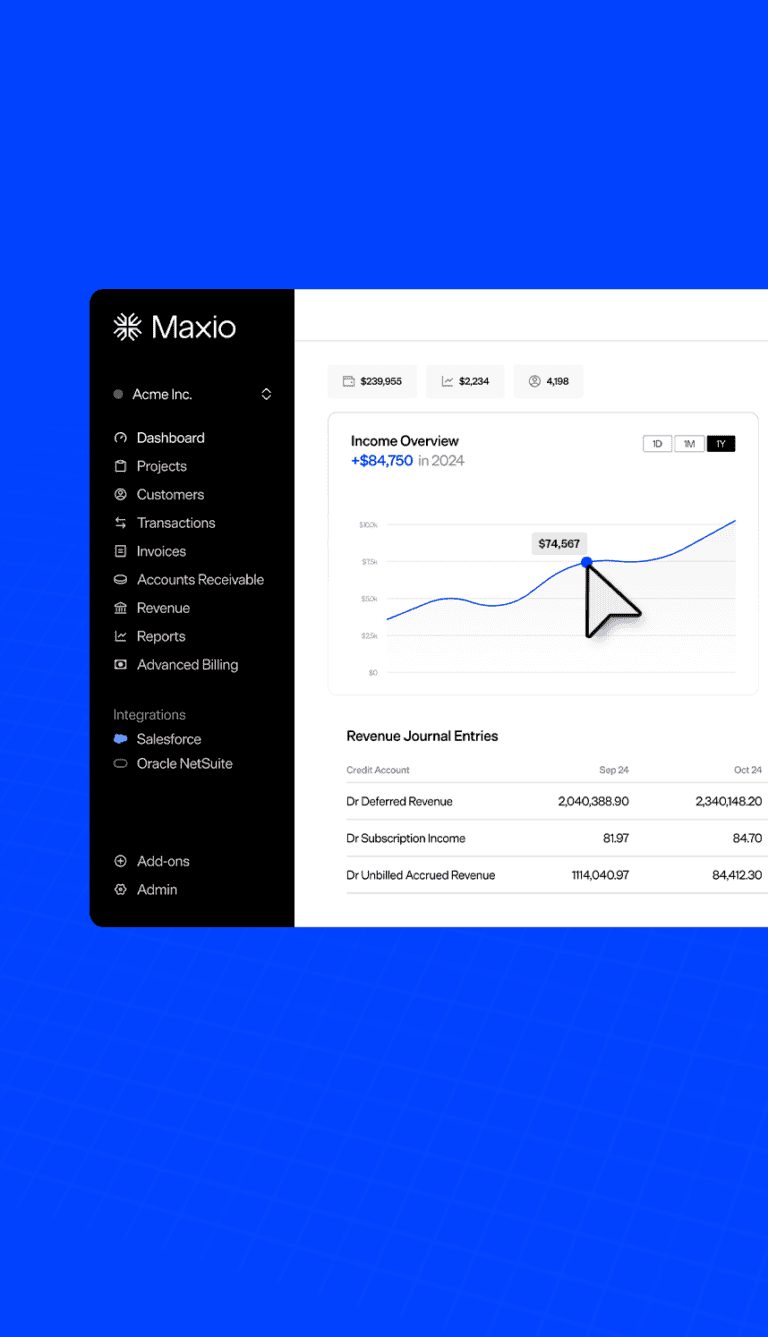
Buyers see the surcharge before they confirm payment. It appears as a separate line item on the invoice and maps into your accounting system as a distinct category. Once configured, nothing is manual.

What could surcharging recovery look like for your business?
Credit card processing fees run 2% to 4% per transaction. At a 3% average rate on $500,000 per month in card volume, you’re paying $15,000 a month in processing costs. Surcharging gives you most of that back.
But the math extends even further. $180K in annual recovery at a 10x revenue multiple adds up to $1.8M in enterprise value — a number your investors will notice.

Surcharging calculator
See how much card-processing margin you could recover over three years with surcharging in Maxio Payments.
Recover the fees you’re absorbing.
Enter your card volume and effective rate to see your three-year margin recovery.
min. $100,000
Recovered to your bottom line over three years with Maxio Surcharging.
How surcharging works
Add a small surcharge to card payments.
When customers choose to pay by credit card, a surcharge is automatically added to the invoice.
Optionally, end customers cover the cost.
The surcharge covers processing costs you absorb today. Customers who prefer to skip it can pay by ACH, which saves you both money.
Keep the fees you’ve been losing.
Maxio gives you the controls to manage surcharging yourself for national, state, and card-network rules, so recovered margin drops to your bottom line.
Ready to recover this margin?
Talk to a Maxio expert about enabling surcharging for your business.
All figures are estimates for illustrative purposes only, not a guarantee of results. Projection assumes a typical B2B SaaS and AI card mix and a market-standard 3% surcharge. Actual recovery varies by card mix, state restrictions, customer payment behavior, and program configuration. Maxio Payments surcharging is a configuration tool, not a legal compliance service — we recommend consulting legal counsel to confirm your approach meets applicable requirements.
Frequently asked questions
Surcharging lets you pass credit card processing fees to the buyer at the time of payment, so those costs don’t come out of your margin. Maxio handles the calculation, display, and invoice line item automatically.
Yes, in most US states. Surcharging is permitted for B2B transactions in the majority of states, subject to card network disclosure rules. Maxio’s settings page shows surcharge status by state so you can configure accordingly.
Maxio calculates the surcharge as a percentage of the invoice subtotal and shows the amount to the buyer before they confirm payment. It appears as a distinct line item on the invoice. Transparent to the buyer, automatic for your team.
Yes. You can set a single national rate or get granular by state and card brand (Visa, Mastercard, Amex, Discover).
No. Surcharging applies to credit card payments only. Buyers paying by ACH or bank transfer are not surcharged, which can also incentivize a healthier payment mix.
Some buyers switch to ACH to avoid the surcharge, which improves your payment mix and lowers processing costs further. Buyers who stay on credit card pay the surcharge at checkout, transparently, before confirming.
Contact sales@maxio.com to learn more and get started.