7 Top Accounting Software Tools for SaaS in 2026



As your SaaS company enters new growth stages, financial management becomes more demanding. Revenue shifts, ongoing expenses, and changing reporting needs create pressure on your internal systems. A dependable accounting platform helps you stay accurate and meet your ongoing accounting needs without running into issues that slow down growth.
Cloud-based tools now make bookkeeping far easier to control. They support clean records, quick reviews, and fewer manual data entry steps. Instead of searching through scattered data, you can rely on a system that updates in real time.
In this guide, we’ll introduce you to seven trusted accounting software options. Each one helps you track revenue, create invoices, collect payments, and store important documents for tax reporting. These platforms support smoother financial operations and give your team better visibility into day-to-day accounting.
Benefits of SaaS accounting software
There are countless benefits to using SaaS accounting software for your business needs. Here are some of the top reasons why more and more SaaS companies are turning to accounting software:
- CRM integration: When your accounting system connects with your CRM, you can streamline your cash flow management and order-to-cash process with advanced features that keep customer and billing data aligned. Customer and billing data stay in sync, which helps keep your general ledger accurate without extra cleanup.
- Cloud-based: Cloud software lets you check your accounting data from anywhere, and most platforms offer iOS and Android mobile app access so you can review numbers on the go. It’s much easier to stay updated on reporting and accounts payable work that depends on real-time financial data.
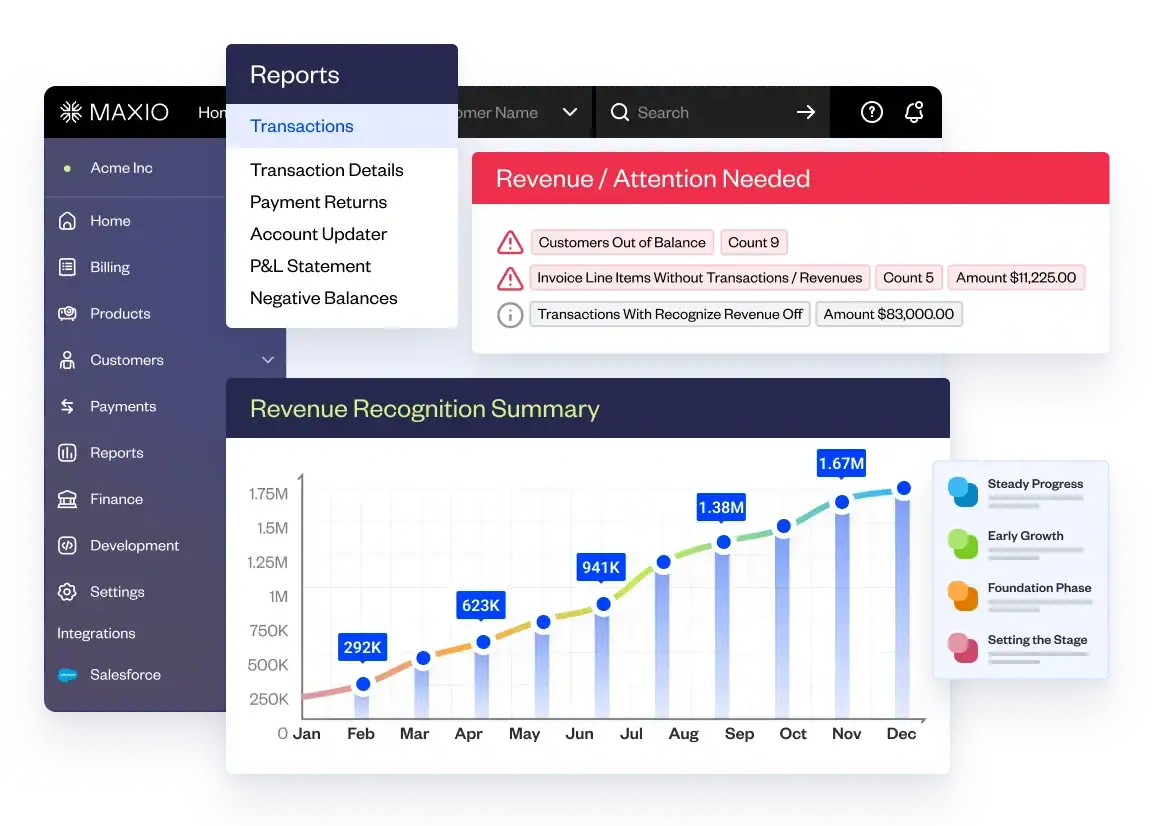
- Revenue recognition: A good accounting tool helps you record revenue correctly so your financial statements stay accurate and compliant. Revenue recognition software is essential for SaaS companies that use various billing models and compliance rules like ASC 606 and IFRS 15.
- Expense management: SaaS accounting software lets you easily track and manage expenses. You can create budgets and analyze costs in real time inside a user-friendly system that keeps spending organized.
- Subscription management: If you’re a SaaS business, subscription management is critical. Accounting software helps you manage subscription changes, monitor customer churn, and understand acquisition costs without juggling separate tools.
- Financial reporting functionality: Accurate reports matter when you’re meeting with investors or your board. Built-in SaaS reporting tools can generate balance sheets, income statements, cash flow statements, and dashboards that highlight key trends without manual prep.
- Sales tax: Sales tax is often a time-consuming and complicated process. Accounting software can help you automate sales tax calculations, ensuring that your business stays compliant.
The biggest benefit of moving to SaaS accounting software is reducing your reliance on Excel spreadsheets. They may work early on, but as your company grows, a single master file can become a source of errors and slowdowns.
By investing in a dedicated online accounting software, you’ll spend less time on transactional accounting activities and more time plotting your company’s financial future.
7 best accounting software solutions for SaaS companies
The accounting platforms below can all support SaaS financial needs, but each one offers different strengths depending on your industry, use case, revenue stage, and budget.
Maxio
Ideal user: B2B companies at any growth stage
Maxio is built for finance teams at early-stage, mid-market, and fast-growing B2B SaaS companies. It gives teams a purpose-built system that supports recurring revenue and strengthens financial oversight.
Software overview:
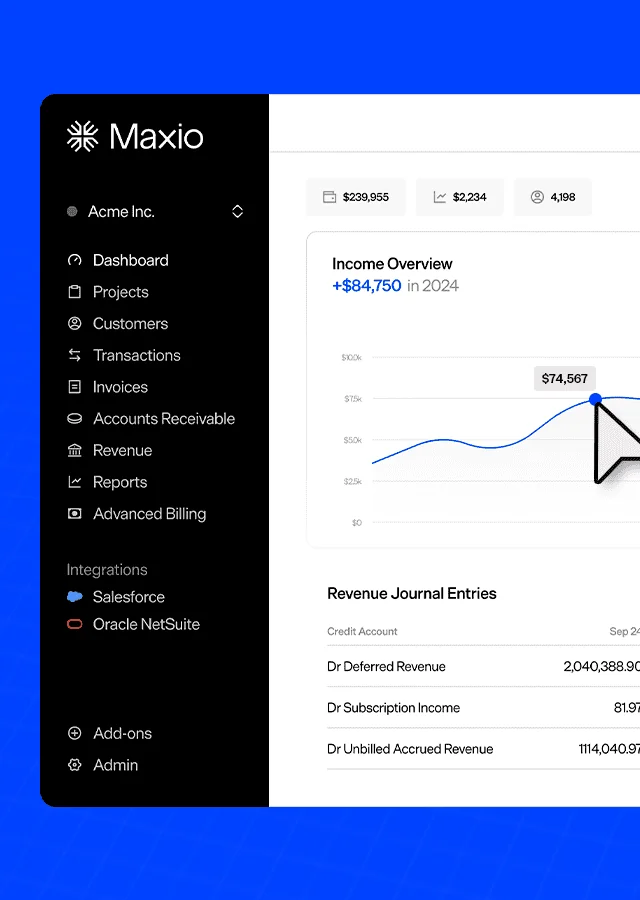
Maxio delivers an all-in-one system that automates billing, subscription management, collections, and SaaS metrics reporting so your team can move away from manual work and focus on higher-value tasks. Because Maxio is designed for B2B SaaS, the workflows match the way subscription companies actually operate, so teams spend less time maintaining processes and more time reviewing clean, reliable data.
With Maxio, you can:
- Bill customers and accept payments based on your pricing model
- Track every invoice and payment in one clean system
- Manage global transactions with built-in multi-currency support
- Complete month-end close quickly and accurately
- Move through audits with clear, consistent documentation
- Share dependable numbers with leadership and investors
- Work from a unified source of financial and operational data
No matter your size or revenue stage, Maxio helps you manage financial complexity with more confidence and clearer insight.
Pricing:
Maxio pricing starts at $599/month. You can view our pricing page for more details.
Xero
Ideal user: Small and medium-sized businesses
Xero is a common pick for small and growing companies. It’s especially popular with small business owners who need clean bookkeeping without a complex setup.
Software overview:
Xero is a cloud-based accounting platform that covers core financial tasks in one place and is designed to be easy for teams to manage without a heavy setup.
One of its biggest strengths is how simple it makes project profitability tracking. Users can see real-time costs and compare them with expected profits, which helps teams stay on top of their margins as work moves forward.
Xero also includes invoicing, inventory tools, bank reconciliation, payroll, and expense management. It connects well with other business tools, including PayPal, Stripe, and Maxio, which helps keep financial data consistent across systems.
Xero+ Maxio integration:
Many businesses pair Xero with Maxio to cover areas that go beyond standard accounting. Together, they offer:
- GAAP and IFRS-compliant revenue recognition
- Flexible invoice scheduling with customizable e-invoicing
- Milestone-based revenue and invoice handling, not found in Xero
- Built-in subscription metrics and analytics, not found in Xero
- Option to apply a single payment to multiple invoices
- More efficient accounts receivable and collections workflows
This setup allows companies to keep using Xero for general accounting while relying on Maxio for recurring revenue, complex billing, and SaaS-specific reporting.
You can learn more about the Xero + Maxio integration here.
Pricing:
Xero’s pricing plans range from $13 to $70 per month.
NetSuite
Ideal user: Large or expanding companies
NetSuite is a cloud-based business management platform that brings together ERP, accounting, CRM, and commerce capabilities in a single system. It’s well suited for organizations with complex operations, multiple teams, or global and multi-entity requirements.
Software overview:
NetSuite is a comprehensive cloud platform designed to help organizations manage core business operations in a unified environment. Known for its scalability, NetSuite supports companies as they grow by offering flexible configuration options and a broad set of modules that can evolve alongside business needs.
One of NetSuite’s key strengths is the breadth of functionality it provides. Teams can tailor the platform to support financial management processes such as budgeting, forecasting, accounts payable, and accounts receivable, while also leveraging built-in CRM and commerce tools to manage customer relationships and sales operations more effectively.
As an enterprise-grade platform, NetSuite is often adopted by organizations seeking a centralized system to support operational scale, visibility, and control across departments.
NetSuite + Maxio integration:
NetSuite integrates with Maxio to support a connected quote-to-cash workflow for subscription-based businesses. With this integration, companies can continue to manage SaaS billing, revenue recognition, and subscription operations in Maxio while syncing essential financial data with NetSuite.
The integration supports the synchronization of key records, including:
- Product catalog
- Customer details
- Invoices
- Payments
This approach allows finance teams to leverage NetSuite for core ERP and financial management while using Maxio for specialized subscription billing and revenue workflows.
Pricing:
NetSuite’s cost depends on configuration, selected modules, user count, contract length, and industry requirements. Most companies also pay separate implementation fees and often work with a third-party consultant to manage the setup.
QuickBooks Online
Ideal user: Small teams and self-employed users
QuickBooks Online is built to manage invoices, expenses, payroll, and everyday financial tasks in one place. It’s a strong match for small teams and solo operators that want reliable bookkeeping without an ERP-level tool.
Software overview:
QuickBooks Online is a cloud-based accounting tool from Intuit that helps small businesses manage their finances without needing a deep accounting background. It includes invoicing, bank reconciliation, expense tracking, and financial reports, all in one place.
The software works well for businesses that rely on a bookkeeper or accountant, since it’s built for smaller teams. Even on its top plan, QuickBooks caps the number of users, and some plans require each person to have their own paid account.
QuickBooks Online also stands out for how easily it connects with other tools. It works with apps like PayPal, Shopify, and Maxio, which help businesses keep their financial tasks organized and moving smoothly.
QuickBooks + Maxio integration:
Many SaaS businesses pair QuickBooks Online with Maxio to support subscription billing, revenue schedules, and SaaS metrics that QuickBooks does not handle on its own.
You can learn more about the QuickBooks and Maxio integration here.
Pricing:
QuickBooks Online pricing ranges from $17 to $36 per month, depending on your plan.
FreshBooks
Ideal user: Freelancers and small businesses
FreshBooks is a cloud accounting platform built for freelancers, self-employed professionals, and small service-based companies. It’s ideal for users who need a simple way to handle billing and daily financial tasks.
Software overview:
FreshBooks is a cloud-based accounting tool built for freelancers and self-employed professionals. It focuses on invoicing, time tracking, and simple financial management, giving users a quick way to handle routine tasks without getting bogged down in accounting details.
Its biggest strength is how easy it is to use. The interface feels simple to learn, even for people with little accounting experience. FreshBooks also includes invoicing, expense tracking, time tracking, and basic project management, which helps solo business owners stay organized.
That said, FreshBooks isn’t a strong fit for B2B SaaS companies. Its accounting features are limited, and it doesn’t support more advanced needs like usage-based pricing or detailed financial reporting.
Pricing:
FreshBooks pricing ranges from $17 to $55 per month, with custom options available for larger businesses that need additional features or account management support.
Zoho Books
Ideal user: Small businesses and growing teams
Zoho Books is a good option for small and growing businesses that want an affordable accounting system. It works well for teams that need simple invoicing and clear financial tracking without a long setup. Companies already using the Zoho suite often see added value from the tight integration.
Software overview:
Zoho Books is a cloud platform that handles invoices, expenses, bank activity, and simple inventory in one place. Its main strength is how well it works with other Zoho tools, which helps teams keep their information organized.
SaaS companies with more complex subscription needs or audit requirements tend to outgrow it. As recurring revenue gets more complicated, most teams end up using additional systems to keep their financial data accurate.
Pricing:
Zoho Books offers a free plan for very small businesses. Paid plans range from $20 to $275 per month, depending on your feature and user requirements.
Sage Intacct
Ideal user: Mid-sized companies and multi-entity organizations
Sage Intacct is a cloud financial system built for midsize companies, nonprofits, and financial service organizations. It’s best for teams that need scalable accounting with deeper reporting and multi-entity support.
Software overview:
Sage Intacct is a comprehensive cloud accounting platform built to support organizations with increasing financial complexity. Sage Intacct allows finance teams to configure workflows and reporting to support evolving business needs.
The platform provides robust core accounting capabilities, including accounts payable and receivable, general ledger, inventory management, project accounting, and advanced financial reporting. These features help organizations maintain visibility, accuracy, and control as they scale.
As an enterprise-grade financial management solution, Sage Intacct is often adopted by organizations seeking a strong accounting foundation that can support long-term growth and multi-entity operations.
It also connects well with other software.
Sage Intacct + Maxio integration:
Sage Intacct integrates with Maxio to support a connected quote-to-cash workflow for subscription-based businesses. With this integration, companies can manage subscription billing, revenue recognition, and SaaS metrics in Maxio while syncing key financial data with Sage Intacct.
The integration supports the synchronization of key records, including:
- Product catalog
- Customer details
- Invoices
- Payments
This allows finance teams to use Sage Intacct as their system of record for core accounting while leveraging Maxio for specialized subscription billing and revenue workflows.
Pricing:
Sage Intacct pricing depends on configuration, modules, user count, contract length, and industry needs. Most companies also pay for implementation and may work with a third-party consultant during setup.
What to look for when choosing an accounting system
When selecting a SaaS accounting system, there are several considerations that you should take into account to ensure that you choose the best software for your needs. Here are some key features and elements to look for:
Security features
Security features protect the sensitive financial data stored in your accounting system. They should include encryption, two-factor authentication, strong access controls, and regular security checks. Reliable security lowers the chance of breaches and gives teams more confidence when handling financial information.
Ease of use
Ease of use affects how smoothly people can move through daily accounting tasks. The software should offer a clear layout, simple workflows, and accessible customer support for users who need help along the way. When the tool feels easy to navigate, teams stay accurate and spend less time trying to figure out basic steps.
ERP Integration
ERP integration keeps financial information aligned across the systems your company relies on. It should support dependable syncing and updates that reflect changes as they happen. This connection reduces manual entry and helps every team work from a consistent source of truth.
Bookkeeping tools
Bookkeeping tools support the foundation of your accounting work. They should make it simple to handle invoicing, sync bank account activity, and complete bank reconciliations. Good bookkeeping tools keep your records clean and make month-end tasks far less stressful.
Data & analytics reporting
SaaS reporting tools give you a clear view of your financial performance in real time. They should offer flexible report creation, up-to-date metrics, and easy sharing options. Strong reporting helps leaders make decisions faster because they’re working with accurate, current information.
Forecasting capabilities
Forecasting, or revenue projecting, capabilities help you plan for financial needs and future revenue. They should support cash flow projections, scenario testing, and models that adjust as new data comes in. Useful forecasting reduces guesswork and helps teams prepare for hiring or major financial moves with more certainty.
Automate your accounting with software built for B2B SaaS
A reliable accounting solution is a fundamental component of the modern tech stack. By investing in an accounting system that’s built for the needs of B2B SaaS companies, you’ll be able to automate your transactional accounting tasks and focus on the future growth of your business.
That’s why we built Maxio. Maxio helps finance and accounting teams handle complex revenue recognition, create complete financial reports, and track key SaaS metrics in one unified place, all while giving you the multi-currency accounting capabilities needed to support global operations.
Schedule a demo to see how Maxio can help you move beyond spreadsheet-heavy processes and step into a more strategic role.
Top Accounting Software FAQs
What is small business accounting software?
Small business accounting software is a tool that helps companies manage revenue and invoices in one system. It automates routine financial tasks and reduces manual errors. This gives owners a clearer view of their numbers so they can make informed decisions.
What features should I look for in top accounting software?
Features you should look for in top accounting software include:
- Strong security tools that protect financial data and limit unauthorized access
- Automation that reduces manual work across billing, reconciliations, and reporting
- Clear workflows that keep daily tasks simple for both financial and non-financial users
- Flexible reporting that gives you real-time insight into performance
- Integrations that sync data with the tools your team already relies on
How does accounting software work?
Accounting software works by gathering your financial activity in one system and updating your records as transactions happen. It automates tasks such as invoicing, expense tracking, and reconciliations so you don’t have to manage them manually. This gives you a clearer, more accurate view of your financial health.