

How to Model Prepaid Usage and Credits in Advanced Billing



Prepaid usage flips the usage-based model on its head. Instead of billing for consumption after it happens, you invoice the customer up front and let them draw down on the balance over time. They buy a thousand units, a block of credits, a pool of processing capacity, and spend against it until it runs low.
For finance teams, the appeal is commitment before delivery: the revenue lands before the service does. For customers, it changes the relationship with their own spend. They know exactly what they have, and they can plan against it.
That predictability is the entire selling point, and it’s also the thing that quietly breaks. Prepaid usage demands something usage-based billing doesn’t: the customer has to be able to see their balance clearly, at all times. If they can’t tell how fast they’re burning through credits, the predictability advantage disappears and you get the support ticket every prepaid model eventually generates, “where did my credits go?” Before you configure anything, that visibility is the requirement to design around.
The model itself is straightforward to set up. What makes prepaid hard is a short list of decisions that have nothing to do with clicking through the catalog and everything to do with what happens at the edges. Get those decided up front and the configuration is easy. Leave them undecided and they get decided for you, badly, the first time a customer hits one.
The edge cases are the model
Three questions define a prepaid model. Answer them before you build, because each one is a branch the platform needs you to have chosen.
What happens when the credits hit zero? This is the first fork. Do you hit a hard stop and block further usage? Do you allow overage, letting the customer keep consuming at a defined rate and billing the excess at renewal? Do you prompt them to buy another block? None is wrong, but the platform needs to know which one you mean, and the customer needs to know before they hit the wall, not after.
What happens when credits aren’t used? The other fork. Do unused credits simply expire at the end of the period, or do they roll over into the next one? If they expire, the customer loses what they paid for, which is clean for you but needs to be clear to them. If they roll over, you’ve made a second decision implicitly, which leads to the third question.
If credits roll over, how long before they expire? Rollover without an expiry window is a slow leak. The last thing you want is units purchased in July of one year still sitting on the books the following July. Pick a window, a month, two months, a quarter, and make the credits expire at the end of it. The window is the difference between a flexible benefit and a liability that compounds.
These three decisions, the zero-balance behavior, the rollover choice, and the expiry window, are the whole model. Everything in the platform is just expressing the answers.
Configuring it in Advanced Billing
Prepaid usage in Maxio Advanced Billing is built as a component in your product catalog, and the price point is where those edge-case decisions get expressed.
A straightforward recurring price point gives the customer a fixed allocation each period, say a thousand units, with a fresh thousand added at every renewal. With rollover switched off, any units unused at renewal expire. So a customer who used half their allocation with a day left in the period loses the remainder overnight unless they spend it, and starts the next period with a full new allocation. Add an overage price and they can keep consuming past zero, with the excess billed at the next renewal alongside the new allocation.
A rollover price point keeps the recurring allocation but carries unused units forward into the next period, with an expiry window attached, so units roll over but fully expire after, for example, two months. Usage added in May would be gone by August. Overage works the same way on top.

The two price points are the two edge-case philosophies made concrete: expire-at-renewal versus roll-forward-with-a-window. Choosing between them is choosing how generous and how clean you want the model to be.
Keeping the balance visible
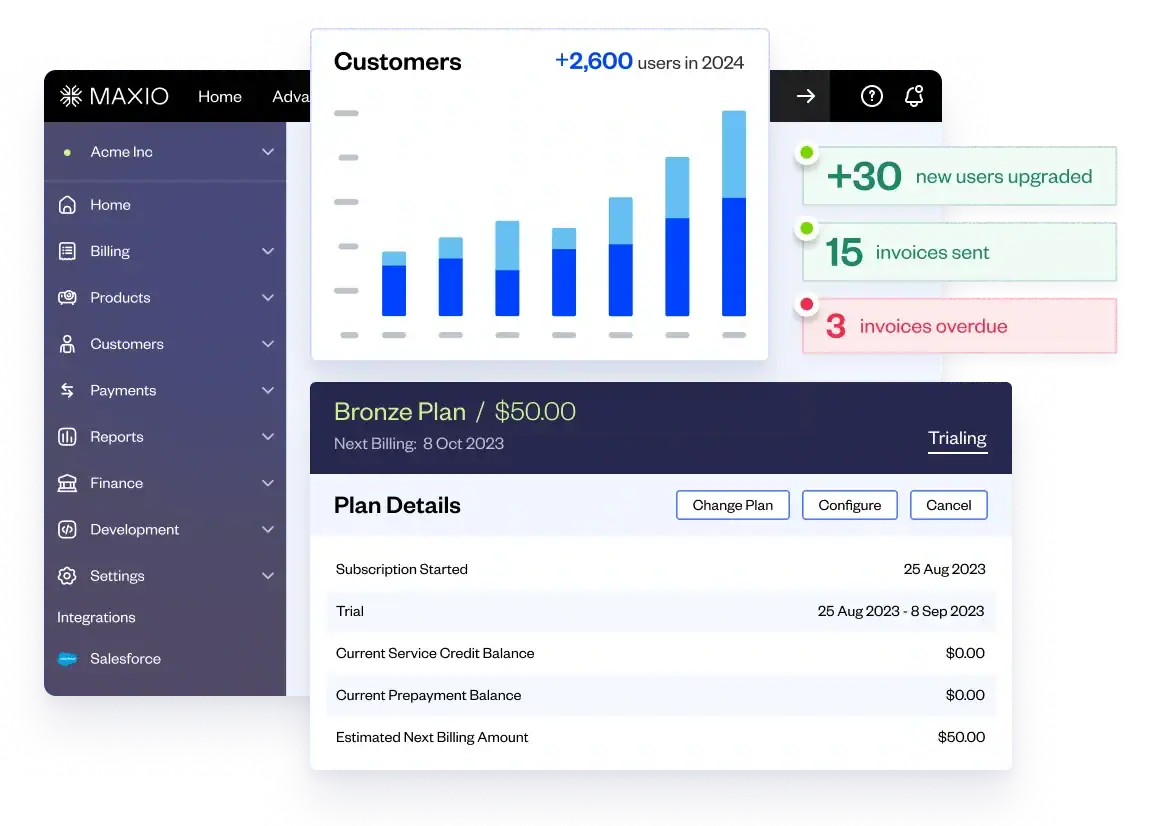
Once usage starts drawing down, this is where the predictability promise is kept or broken. In Advanced Billing, the proforma invoice shows the balance plainly: the allocation, how much has been used, how much remains, and what’s being added at renewal. Even with zero usage in a period, the allocation still appears on the proforma, so the customer can always see what they have before the period turns over.

When usage runs past the allocation, the proforma absorbs it cleanly. The drawn-down balance shows as fully used, the overage appears as its own line, the new allocation lands for the coming period, and any overage from the prior period carries onto the renewal invoice. The customer sees the full picture: what they had, what they spent, what they went over, and what they’re getting next.

That visibility is the discipline. The configuration decides what the model does; the proforma is what lets the customer trust it. Skip it and the predictability you sold them becomes a monthly mystery.
Where the decisions land
These three decisions don’t go away if you skip them. They just surface later, as questions instead of settings. A customer reaches zero mid-period and asks what happens next, and the answer gets improvised on a support call rather than defined in the price point. Unused credits accumulate with no expiry window, and finance asks how to account for a balance that keeps growing. Rollover runs unbounded, and you’re carrying units someone bought a year ago.
Settle what happens at zero, whether credits roll over, and how long they live, then express those answers in the price point and keep the balance visible on every proforma. Make those calls up front and none of them later turn into support tickets, one confused customer at a time.
This post draws on our May Customer Acceleration webinar, “Modeling Complex Pricing in Advanced Billing,” which covers how to model pricing structures in Maxio Advanced Billing. Watch the full session on demand.