Handling complex revenue scenarios in Maxio
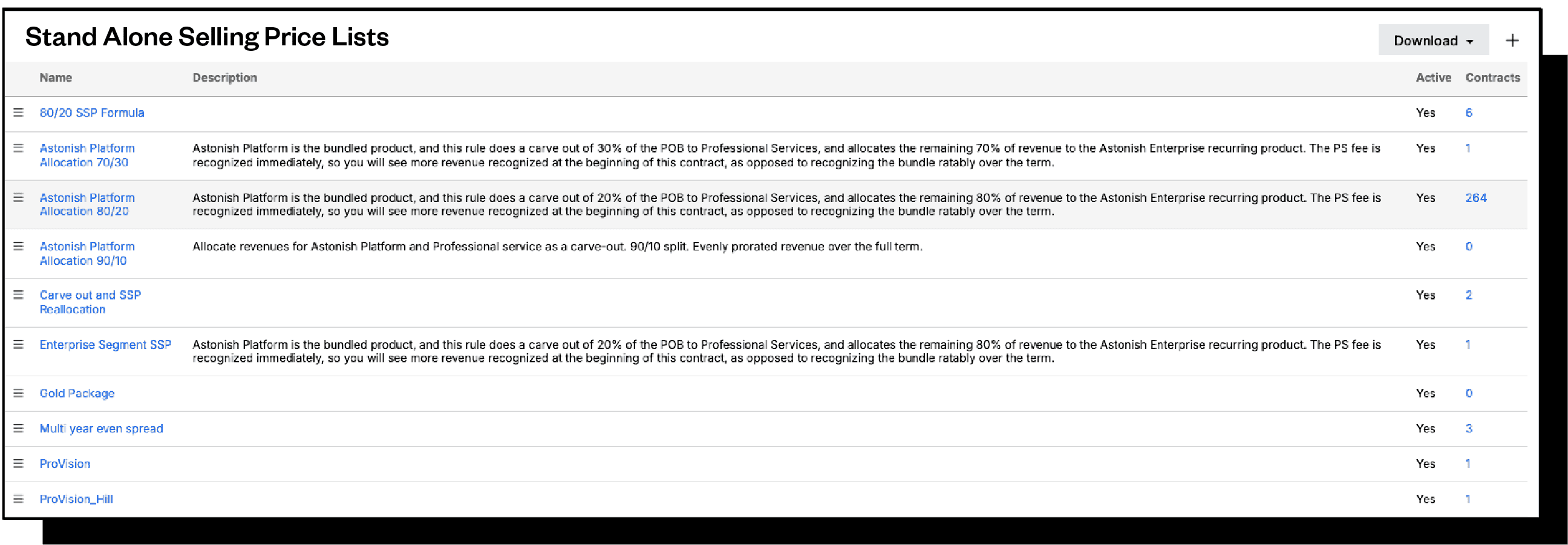
You don’t need an ERP to handle complex revenue scenarios like carve-outs and reallocations. Join this webinar to learn how Maxio’s advanced revenue recognition features help finance teams become ASC 606 compliant.
Next demo is: November 13th at 11 AM ET
Reserve your seat for the live session
See Maxio in action
Becoming ASC-606 compliant can be a herculean lift without the right tools and resources in place. Maxio customers can stay ahead of auditors with features like:
- Creating highly flexible revenue rules for carveouts and reallocation that can be adjusted over time.
- Unbundling product lines for revenue recognition purposes.
- Comparing and contrasting revenue before and after making policy changes.
There is also live Q&A and chat to answer questions.
Don’t let an inconvenince become a headache
Prolonging or failing an audit has difficult consequences. Addressing the audit becomes a full time job. Key objectives get put on hold until the audit is passed.
When the time comes, Maxio is here to help.